Ultimate PS5 Gaming Setup — Every Product in This Setup, With Prices (2026)
That clean PS5 setup you keep saving on Pinterest? Here is the full breakdown — every piece of gear in the picture, what it does, and where to get it. Build it all at once, or copy it in the 3 stages below: core setup first, then lighting, then comfort upgrades.
Quick answer
A setup like this is really three purchases wearing a trench coat. Stage 1 is the core: the console, a display, somewhere proper for the console to live, and controller charging that does not involve a cable draped over the sofa. Stage 2 is the look: light behind the display and a deliberate color accent, which is what separates a desk from a "setup" photo. Stage 3 is comfort and finish: audio, storage room, grip, and the small extras that make long sessions easier. Buy Stage 1 and you have a working gaming station. Add Stage 2 and it photographs like the pin. Stage 3 is where it becomes yours.
| Stage | Piece | Product | What it does in the setup |
|---|---|---|---|
| 1 · Core | Console stand + charging | Rysker PS5 Cooling & Charging Station | Anchors the console, charges controllers, adds RGB-style accent light |
| 1 · Core | Second controller | DualSense Wireless Controller — Midnight Black | Local multiplayer and a charged spare |
| 1 · Core | Controller dock | PowerA Twin Charging Station | Keeps two DualSense controllers organized and ready |
| 2 · Look | Accent light + color | Rysker station lighting · PlayVital / Darno controller skins | Glow and a color story instead of default white-on-black |
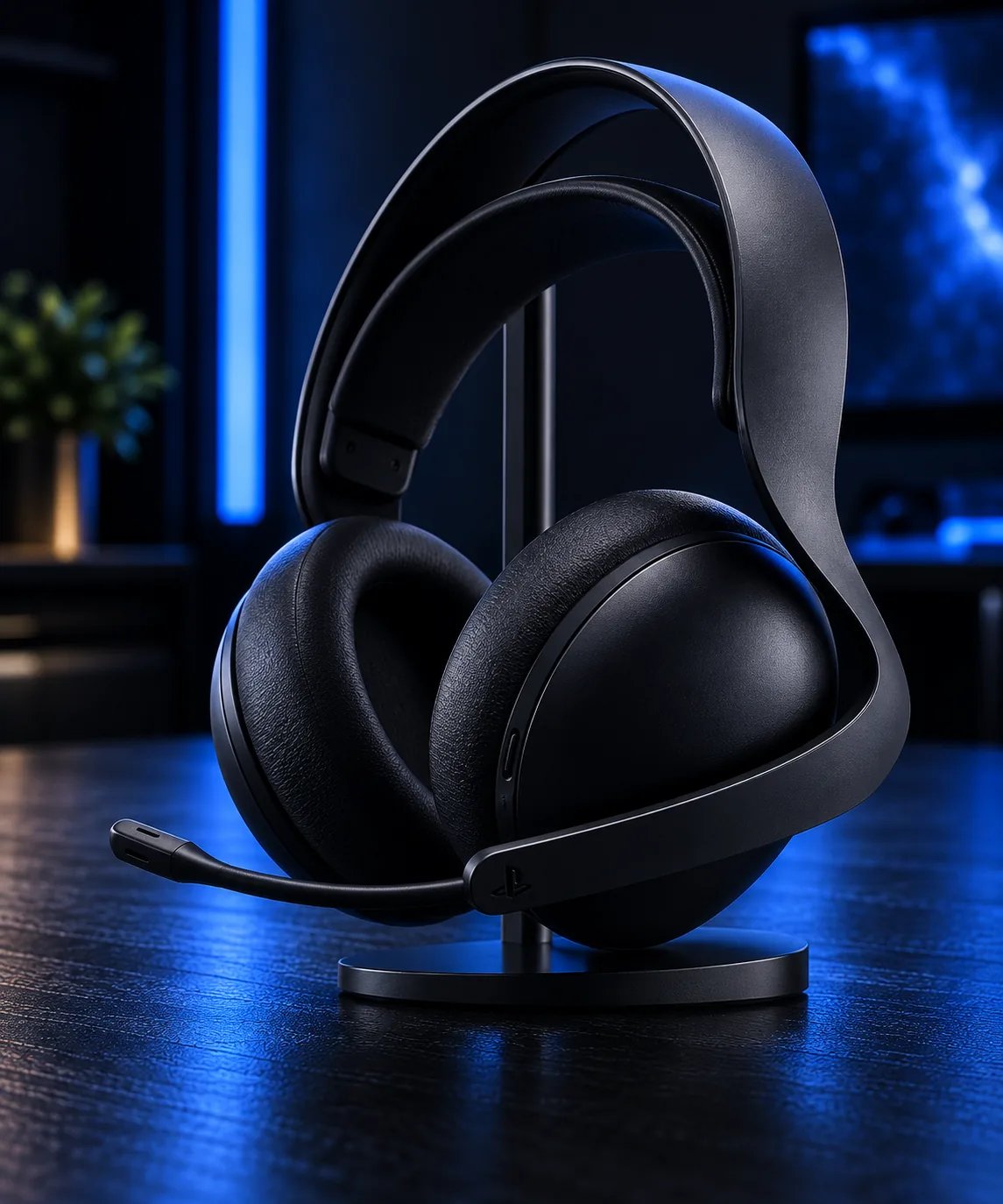
| 3 · Comfort | Audio | PULSE Elite · AOC 2.4GHz · NUBWO wireless headsets | Wireless game audio and voice chat |
| 3 · Comfort | Storage | Fikwot FX991 1TB NVMe SSD | Room for a growing game library |
| 3 · Comfort | Cooling | NEWDERY Cooling Fan (original PS5 only) | Rear cooling accessory with an extra USB port |
| 3 · Comfort | Living-room control | PlayStation Media Remote | Streaming navigation without the game controller |
The setup, piece by piece
Stage 1 — The core: get gaming first
Console and display. Everything hangs off these two, and they are the pieces you most likely already own. Disc versus digital is a library question, not a performance one: choose disc if you buy physical games or movies, digital if your library already lives on the Store. For the display, the console's best output modes in supported games are unlocked by a modern 4K screen with HDMI 2.1; anything less still works fine, and the display is the easiest piece to upgrade later — which is why everything below it in this list is display-agnostic.
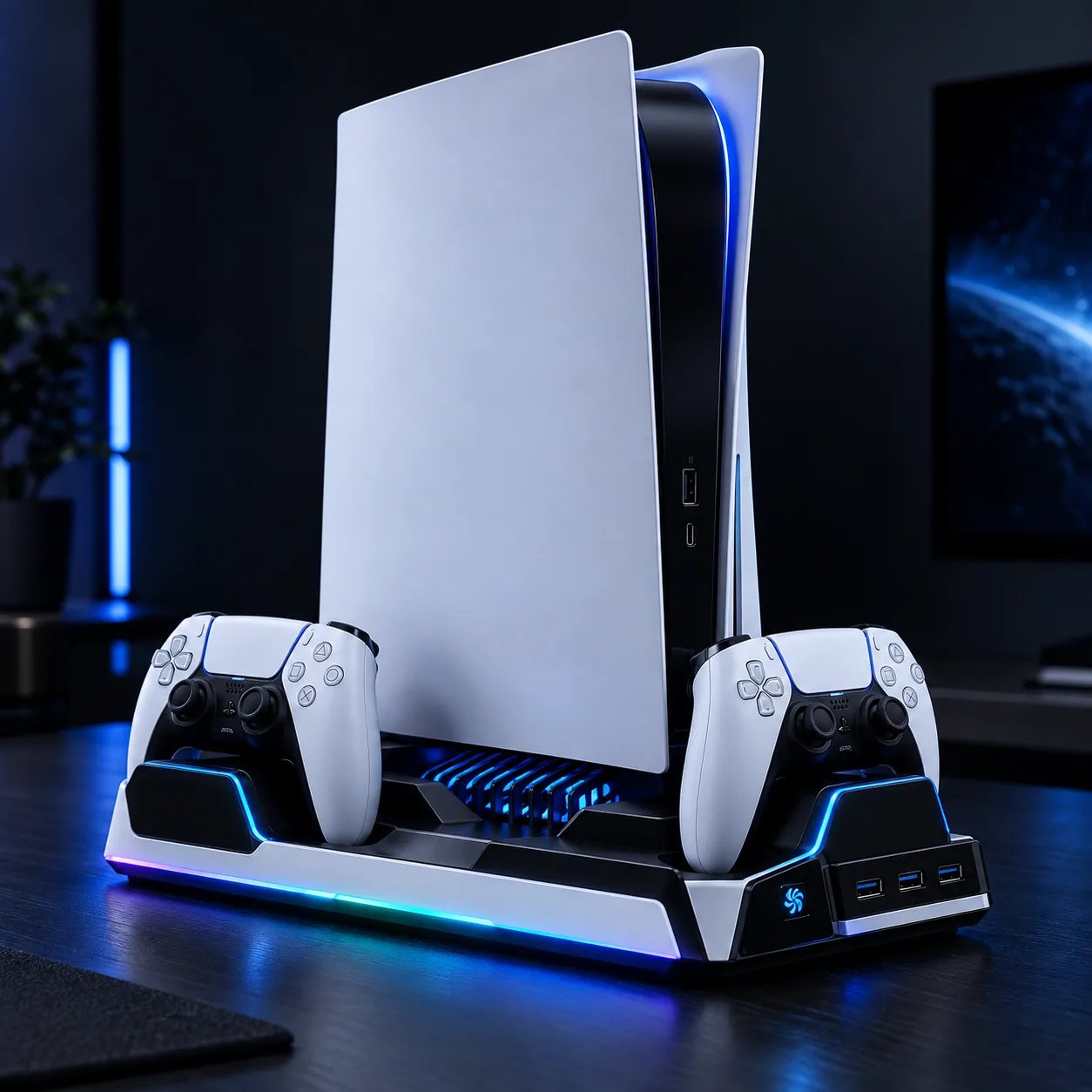
Rysker PS5 Cooling & Charging Station
The anchor of the whole picture. A station like this gives the console a deliberate home instead of a gap next to the TV, combines the stand with built-in controller charging, and adds the RGB-style lighting that shows up as the glow in setup photos. One consideration before buying: setup stations are model-sensitive, so confirm compatibility with your exact PS5.
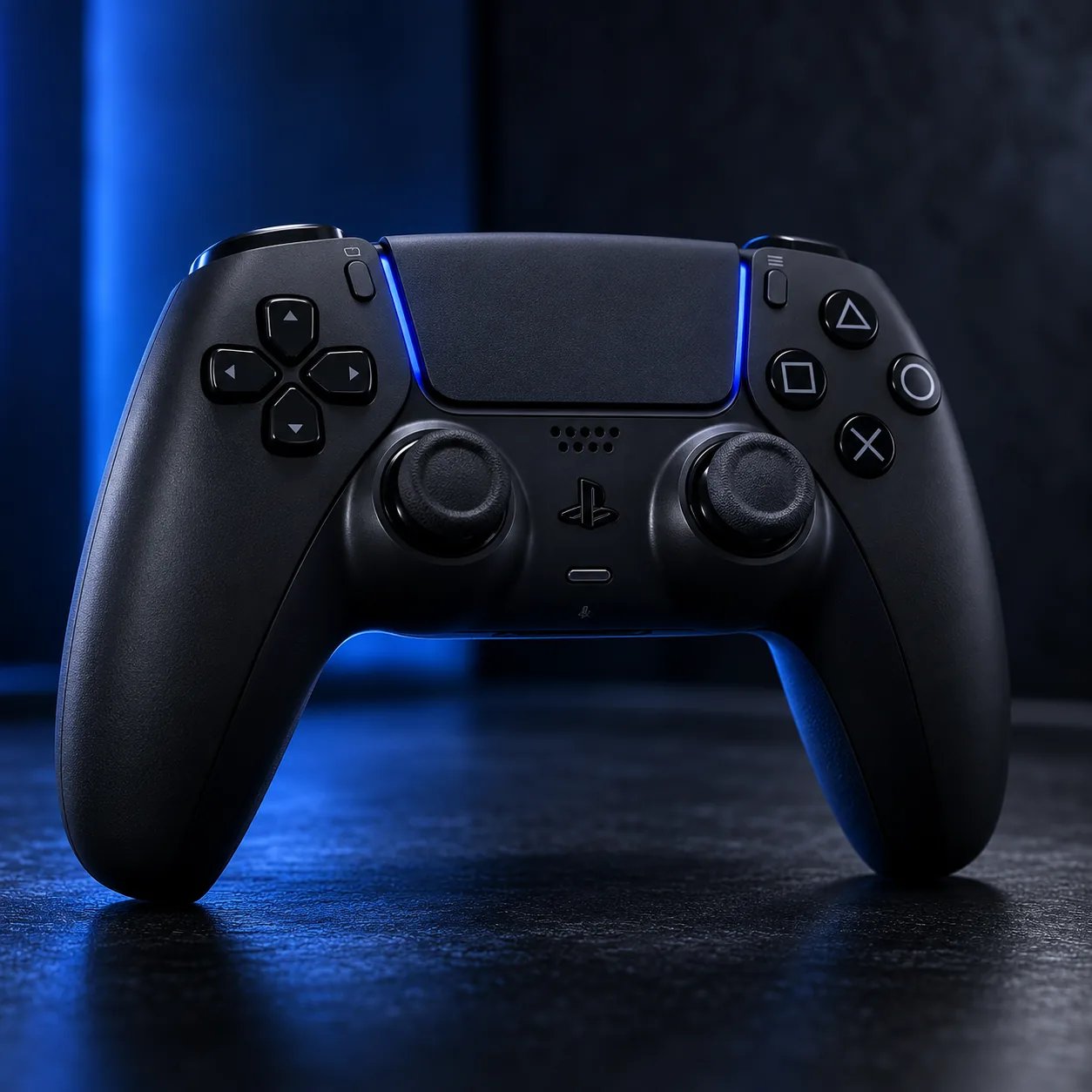
A second DualSense
The Midnight Black DualSense is the official controller in a finish that matches a dark setup better than the stock white. In this build it does two jobs: it is the multiplayer controller for couch sessions, and it is the charged spare that means a dead battery never ends the night. It carries the same haptics and adaptive triggers as the controller in the box.
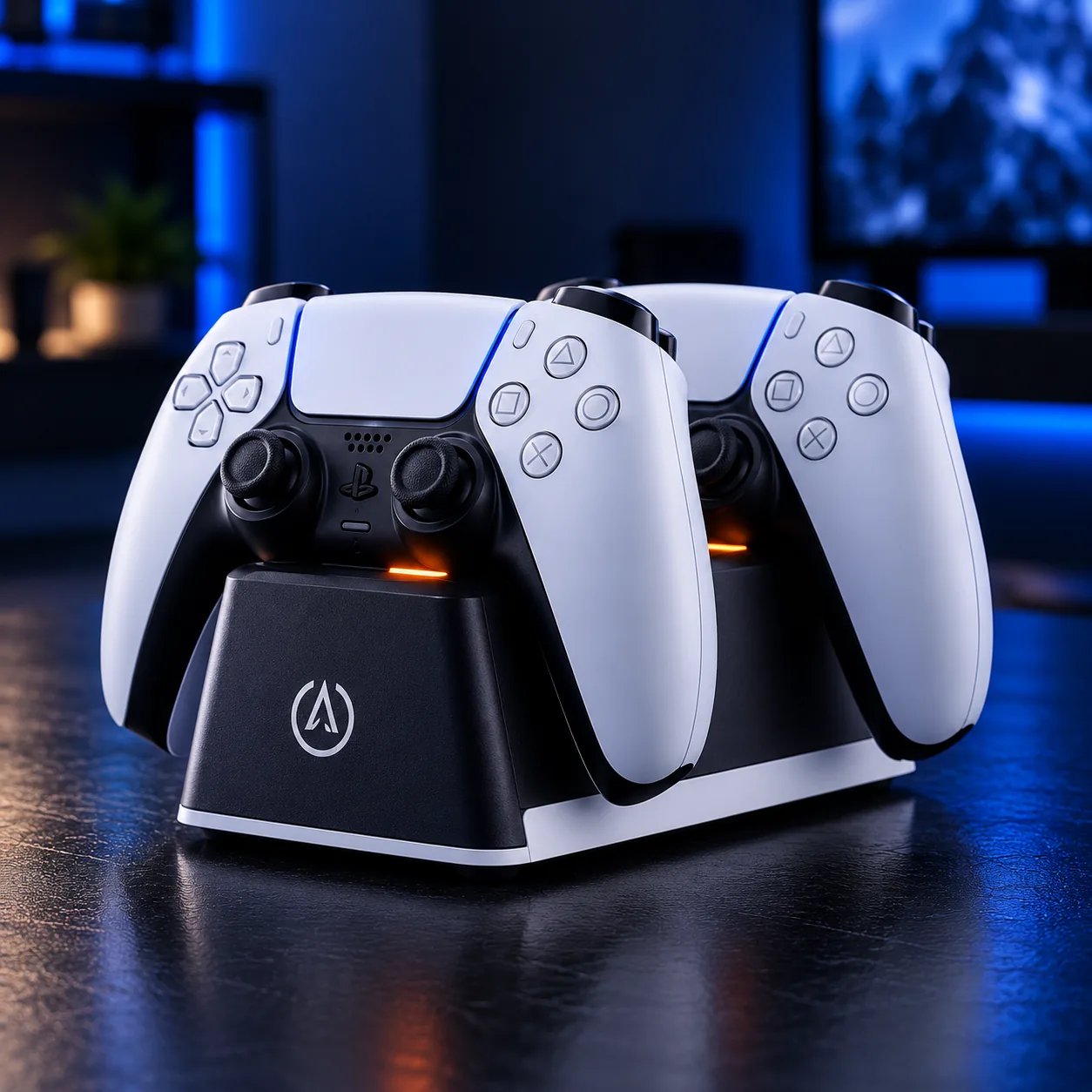
PowerA Twin Charging Station
If two controllers live in the setup, a twin dock is the difference between "charging station" as a design element and a USB cable as a permanent fixture. The PowerA station is built specifically for DualSense controllers and keeps both seated, topped up and in the same place every time.
Stage 2 — The lighting: what makes it look expensive
Look at any saved setup photo and the expensive feeling is mostly light placement, not light count. A soft wash behind the display separates the screen from the wall and kills the flat, single-light-source look. In this catalog, that layer comes from two directions: the accent lighting built into the Rysker station at the base of the console, and color carried by the controllers themselves — the Racing Green PlayVital skin set, the Darno anti-slip skin, or the Techno Red DualSense if you would rather the color be the controller than a cover. Pick one accent and repeat it; three competing colors is how a setup starts looking like a stock photo from a RGB warehouse.
Placement matters more than products here: light sources behind the display or under the desk edge read as ambience, light pointed at the player reads as interrogation. Keep cables routed behind the stand and the dock — in the photos you save, tidiness is doing at least half the work.
Stage 3 — Comfort and finish
Audio
A wireless headset clears the last cable and adds voice chat for multiplayer nights. The PULSE Elite is the PlayStation-first option in the catalog; the AOC 2.4GHz and NUBWO wireless headsets are the multi-platform alternatives, each with a microphone for chat. Verify the exact connection method and PS5 compatibility on the live listing — wireless audio is the category where "works with everything" claims go to die.
Storage
The Fikwot FX991 1TB NVMe SSD is the library upgrade: a 1TB PCIe 4.0 M.2 drive for when the internal storage stops fitting your rotation. Treat the listing as a starting point, not gospel — verify the drive's dimensions, interface and current PS5 SSD requirements before buying, and estimate your real need with our PS5 Storage Calculator.
Cooling, grip and the remote
The NEWDERY cooling fan is a rear-mounted accessory for the original PS5 — explicitly not for PS5 Slim or Pro, so skip it unless your console matches. The Darno and PlayVital silicone skins are the cheapest personality in the whole build: grip, protection and a color change for the price of a pizza. And if the PS5 doubles as the household streaming box, the PlayStation Media Remote ends the era of navigating menus with analog sticks.
What we would prioritize
- Just starting: Console stand/charging first, second controller second. That is the setup.
- Multiplayer house: Twin dock plus a second DualSense before anything decorative.
- It has to photograph well: Accent light behind the display, one repeated color, hidden cables.
- Long sessions: Wireless headset, then storage, then cooling if your console model fits.
- Streaming household: The Media Remote is small, cheap and used every single day.
How to get this look for less
- Stage it. Stages 1 and 2 are roughly ninety percent of the photo. Stage 3 can arrive across months without the setup ever looking unfinished.
- Buy charging before décor. The dock and station change how the setup works every day; skins and accents just change how it looks.
- Let the retailer carry the price. Every product here links to a live listing — check the current price there rather than budgeting from anyone's screenshot of a price, including ours.
FAQ
How much does a full PS5 setup like this cost in 2026?
It depends on how many stages you buy and which pieces you already own — most people start with the console and a display in hand. Every product in this breakdown links to a live retailer listing with the current price, so the honest way to total it is to open the pieces you want and add them up today; prices move too often for a static number to stay true.
What monitor or TV do you need to get the most out of a PS5?
The console's highest output modes in supported games call for a 4K display with HDMI 2.1. That said, the PS5 works well on ordinary modern TVs and monitors — treat the display as the easiest later upgrade, and spend first on the pieces you touch: controller, charging and audio.
Is a DualSense charging dock worth it?
If the setup regularly runs two controllers, yes: both controllers live in one place and are charged whenever you are not playing. If you play solo with a single controller, the charging built into a stand like the Rysker station may be all the dock you need.
Do I need every product in this breakdown?
No. This is a menu staged by priority, not a shopping list with a quota. Stage 1 is a complete, working setup; everything after it is refinement.
Every product in this guide also appears in our Best PS5 Accessories guide, organized by the problem it solves rather than the stage it belongs to.