Keep Your PS5 Cool: Cooling, Dust, and Ventilation Guide
A hot PS5 gets loud, throttles, and ages faster. Most cooling problems are placement problems — here is how to fix them, and when a cooling accessory is actually worth buying.
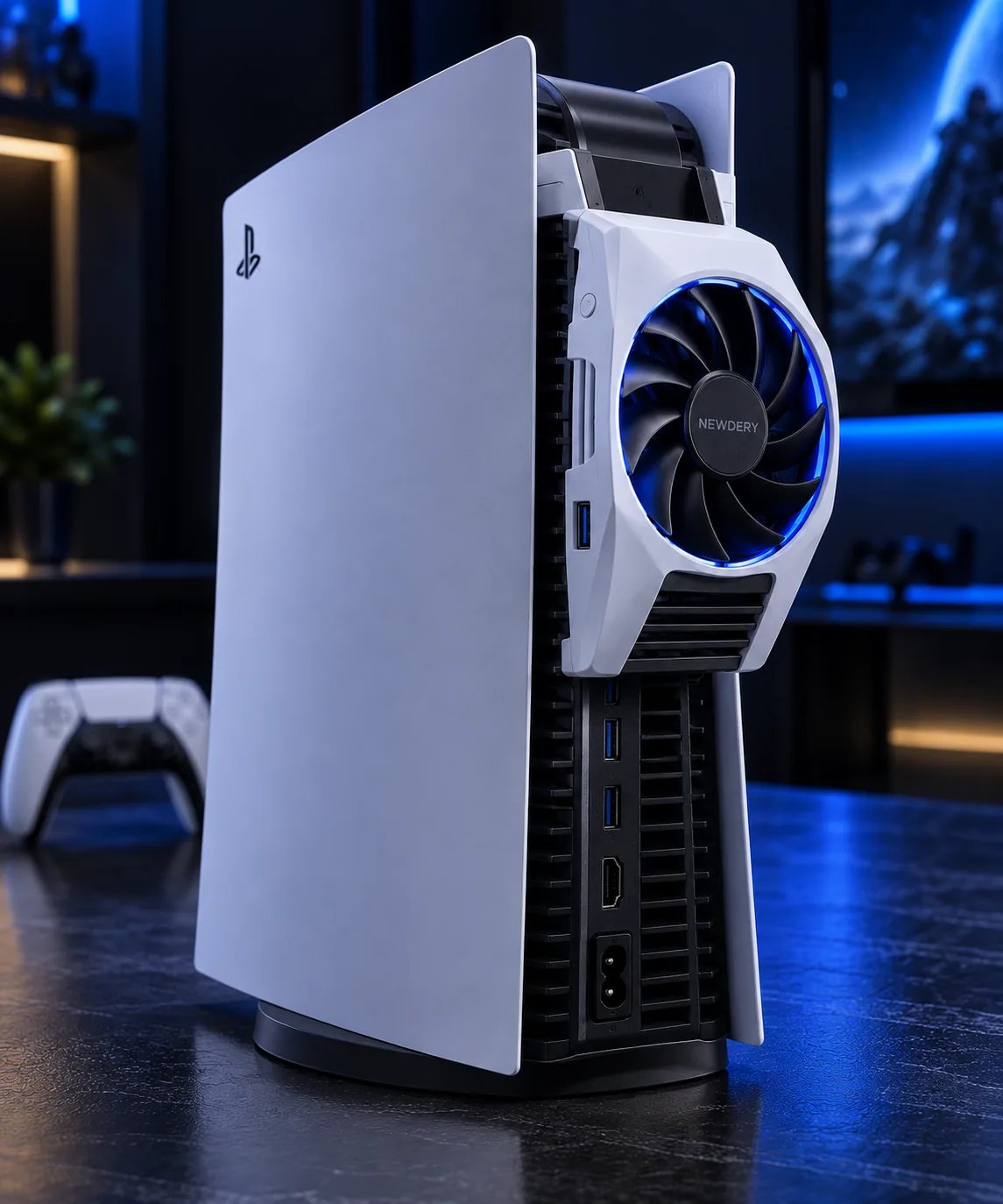
Quick answer
Give the console room to breathe first: clear space around the intake and exhaust vents, keep it out of enclosed cabinets, and keep it off carpet and soft surfaces. Clean dust from the vents regularly. Only then consider a cooling accessory — a rear fan or an all-in-one station — and check it matches your exact PS5 model, because several cooling accessories are made for the original PS5 only and do not fit the Slim or Pro.
| Fix | Cost | When it matters |
|---|---|---|
| Clear vents + open placement | Free | Always — do this first |
| Regular dust cleaning | Free | Every few months, more with pets |
| Rear cooling fan | Accessory price | Warm rooms, tight entertainment units |
| All-in-one station | Accessory price | When you also want charging + organization |
Placement: the free fix that matters most
- Clearance: leave open space around the vents — pushing the console flush against a wall or inside a closed cabinet traps hot air around it.
- Surface: hard, flat surfaces beat carpet and bedding, which block underside airflow and collect dust.
- Orientation: vertical or horizontal both work, as long as the vents stay unobstructed in whichever position you choose.
- Heat sources: keep the console away from radiators, direct sun through a window, and the exhaust of other hot electronics.
Dust: the slow problem
Dust builds up in vents and on fan blades, forcing the fan to spin faster and louder for the same cooling. A quick clean every few months — power off, wipe accessible vents, and use short bursts of compressed air held upright — keeps noise down. If you have pets or a dusty room, check more often. Never open the console beyond the removable covers unless you know what you are doing; warranty and safety matter more than a deep clean.
Cooling accessories in our catalog
Rear cooling fan: targeted help
A rear fan accessory pulls more air through the back of the console, which helps most in warm rooms or tight entertainment units where hot air pools. The catch that matters: several rear fans are built for the original PS5 only. Check the listing against your exact model — Slim and Pro owners need a different fit, and buying the wrong one is the most common cooling-accessory mistake.
All-in-one station: cooling plus organization
An all-in-one station combines a console stand with controller charging and setup lighting. Its cooling value is secondary to organization: it gets the console off the surface, keeps controllers charged, and tidies cables. Buy it for the whole package, not for cooling alone — if heat is your only problem, placement and cleaning fix it for free.
Warning signs to act on
- Fan constantly loud: check vents and placement before buying anything.
- Overheat warnings or shutdowns: stop playing, let the console cool, and check for blocked vents — repeated overheating needs attention, not accessories.
- Hot to the touch on the exhaust side: normal in moderation; alarming if the whole unit is hot and the fan never slows down.
FAQ
Does a cooling fan void the PS5 warranty?
External accessories that do not modify the console generally do not, but anything that opens the console or alters it can. Check the accessory listing and Sony's guidance for your model before installing.
Is vertical or horizontal better for cooling?
Neither is inherently better — what matters is unobstructed vents. Pick the orientation that gives your vents the most clearance in your space.
Do I need a cooling accessory for a new PS5?
Usually no. A new console in a ventilated spot runs fine on its own cooling. Buy an accessory when placement is tight, the room is warm, or you also want charging and organization.